Promo Pop-up
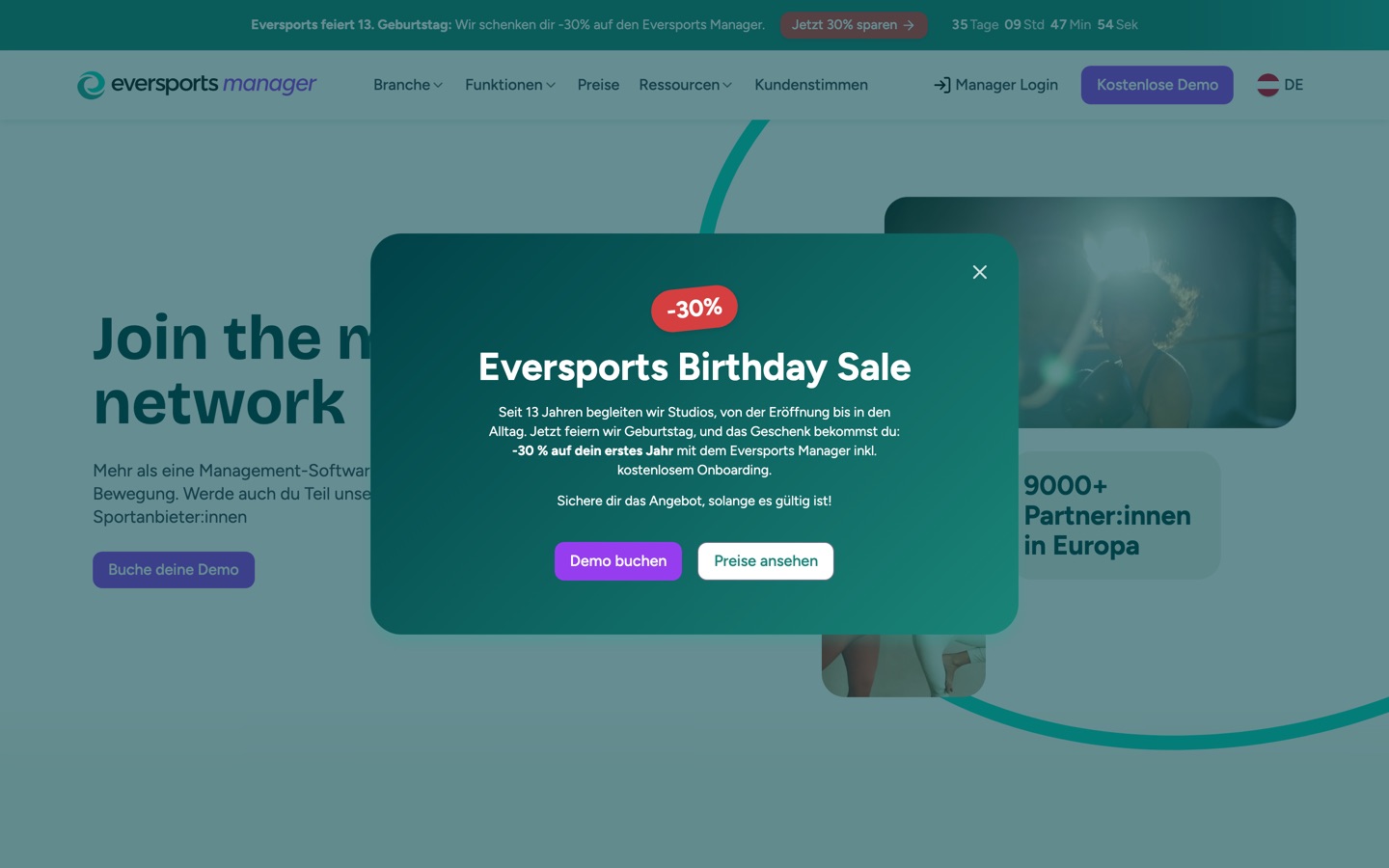
Promo Pop-up is a campaign window with a headline, a short text and one or two buttons. You set it up once per language, like the Promo Banner, and it can open on any page of that language.
When it opens
Section titled “When it opens”- Once per visit. It opens on the first page of a visit, and not again on the next pages. A visitor who comes back later, in a new browser session, sees it again.
- Only after the cookie choice. First-time visitors answer the cookie banner first. The pop-up opens a moment later, never on top of the cookie banner.
- Shortly after the page loads, so it does not appear in the same instant as the page.
The visitor closes it with the ×, by clicking a button, or on a computer by clicking next to it or pressing Esc.
On phones
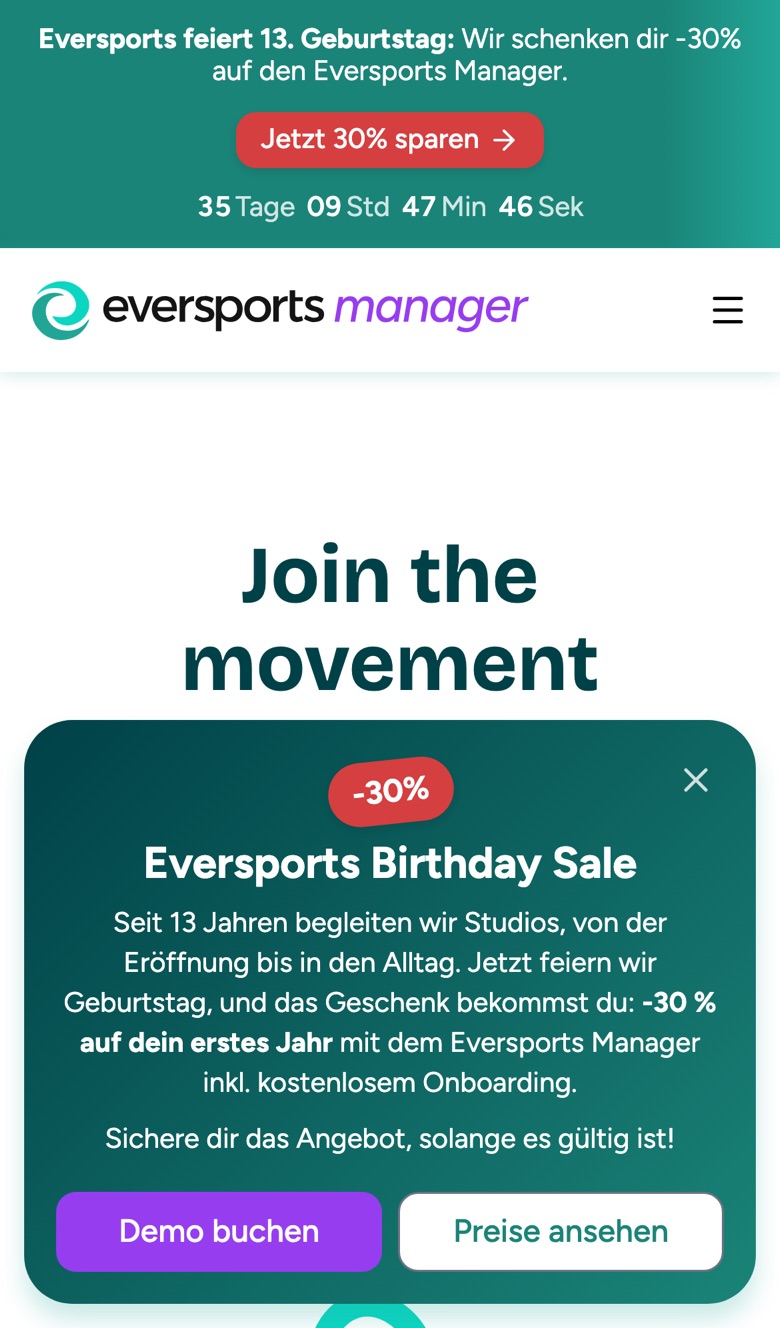
Section titled “On phones”On a phone the pop-up is a compact card at the bottom of the screen. The page behind it is not dimmed and stays usable.
This is deliberate. Google ranks pages lower when a pop-up covers the content on a phone, so the pop-up stays small there. Keep the text short so it fits.
Where pop-ups live
Section titled “Where pop-ups live”Each campaign is one story in its language’s pop-up folder: <language>/globals/promo-popup/. For German that is de/globals/promo-popup/, for Spanish es/globals/promo-popup/. Use the short language code, es and not es-ES. In the sidebar the folder is shown as Promo Pop-up.
An empty folder means no pop-up.
Create a campaign
Section titled “Create a campaign”- Open your language’s pop-up folder. If it does not exist yet, create a folder named
Promo Pop-upwith the slugpromo-popupinside<language>/globals/. - Create a new story and choose the content type Promo Pop-up. Name it after the campaign, for example
Birthday Sale 2026. - Enter a Headline, and optionally a Badge (for example
-30%) and a Text. - Under Buttons, enter the Main button text and Main button link. Add a second button if you want one.
- Set the schedule and region if you need them.
- Publish. The site rebuilds automatically, and the pop-up is live in about five minutes.
The design is fixed
Section titled “The design is fixed”You choose the words and the links. The colours and button styles are fixed so that every campaign stays on brand and readable: the background is the brand gradient, the badge is the same red as the promo banner button, the main button is violet and the second button is white.
Keep it out of some pages
Section titled “Keep it out of some pages”On a page or blog post, enable Hide campaign pop-up to never open it there. Use it on the campaign page itself, where the pop-up would only repeat what the visitor is already reading, and on legal pages.
If two campaigns are live at once
Section titled “If two campaigns are live at once”Only one pop-up is used per page. The site picks it by the same rule as the promo banner:
- Ignore campaigns for a different region.
- Ignore campaigns whose Ends at has passed.
- Of the rest, use the one with the latest Starts at.
Schedule a campaign ahead
Section titled “Schedule a campaign ahead”Set Starts at in the future and publish: the pop-up does not open before that moment.
If the pop-up does not appear
Section titled “If the pop-up does not appear”Check these in order:
- Already seen: it opens once per visit. Open the site in a new private window to see it again.
- Cookie banner: it only opens after you answer the cookie banner.
- Content type: the story must be a Promo Pop-up.
- Folder: the story must be in
<language>/globals/promo-popup/. - Published: a draft does not appear on the live website.
- Schedule: a Starts at in the future or an Ends at in the past keeps it closed.
- Region: a German pop-up with Visible in region set to
ATdoes not show in Germany or Switzerland. - The page: Hide campaign pop-up may be enabled on that page.
- Another campaign wins: a campaign with a later Starts at takes over.
Field reference
Section titled “Field reference”| Field | Default | What it does |
|---|---|---|
| Badge | empty | Short highlight above the headline, for example -30%. Keep it to a few characters. |
| Headline | required | The large title. |
| Text | empty | Two or three short sentences. Bold, italic and links only. |
| Main button text | required | The main call to action, for example Demo buchen. |
| Main button link | required | Where the main button leads. An anchor such as #demo scrolls on the current page. |
| Second button text | empty | Optional second button. Shown only when its link is set too. |
| Second button link | empty | Where the second button leads. |
| Starts at | empty | The pop-up does not open before this moment. Also decides which campaign wins. |
| Ends at | empty | The pop-up no longer opens after this moment. You do not need to unpublish it. |
| Visible in region | empty | Only for German, which serves Germany, Austria and Switzerland. Choose a region to show the pop-up there only. Empty shows it everywhere in that language. |